Why Build a Home Music Studio in 2025?
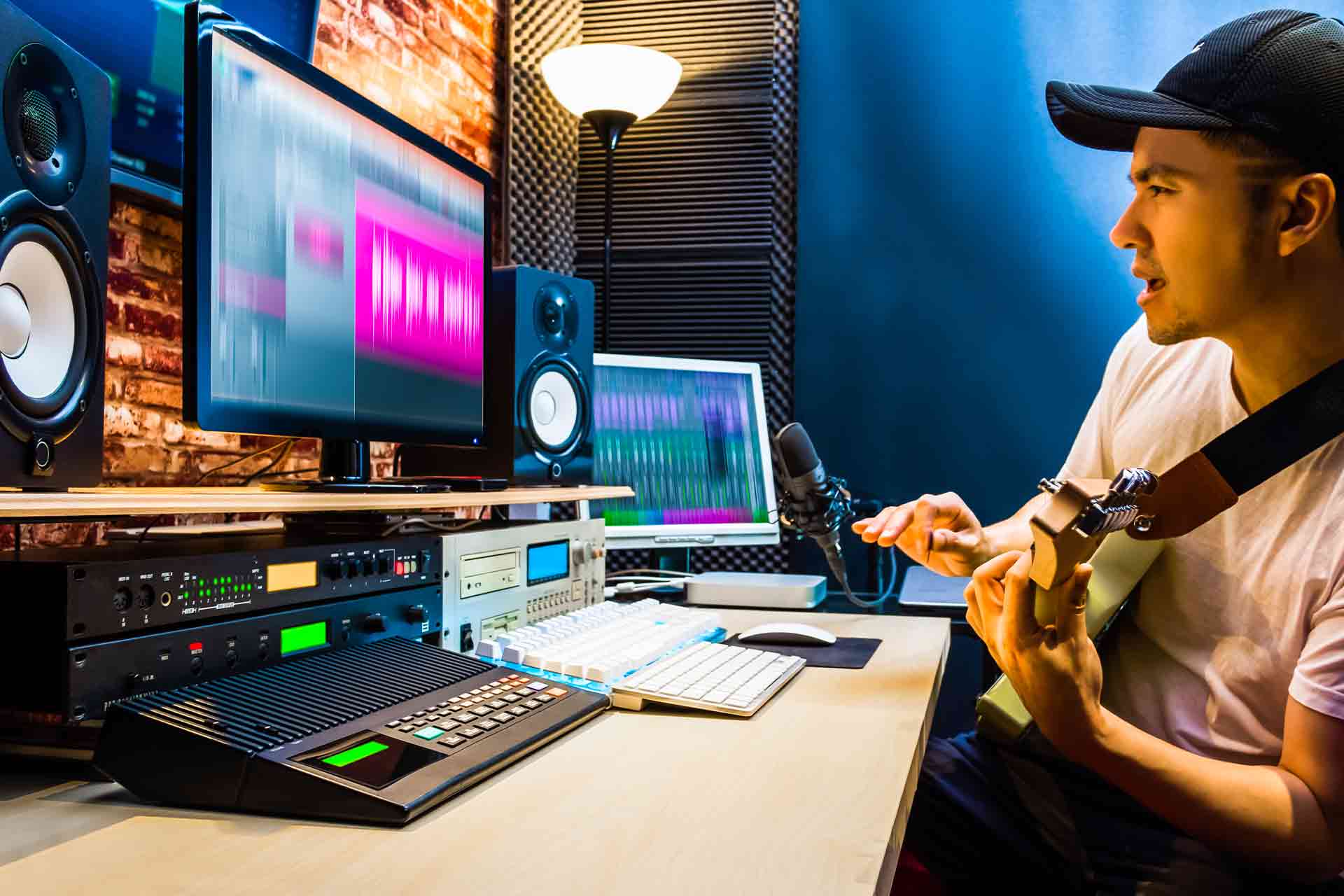
If you’re into music, streaming, podcasts, or content creation, 2025 is an amazing year to carve out your creative corner. Technology has become both powerful and affordable — you can now record broadcast-quality vocals or produce tracks that sound professional without a million-dollar console. The secret? Smart choices, basic acoustics, and a workflow that actually inspires you to finish projects. This guide is for music lovers, streamers, podcasters, and DIYers who want to build home music studio budget 2025 style — practical, cheap where it matters, and smart where it counts.
Plan First: Define Your Needs and Goals
Before throwing money at gear, answer two simple questions: What will you record? And how will you distribute it? A singer-songwriter needs different priorities than a streamer who just needs clear voice audio. Clarifying your goals saves cash and pain later.
Who Are You: Podcaster, Singer, Producer, or Streamer?
- Podcaster / Streamer: Focus on a solid mic, quiet room, and stable internet.
- Singer / Vocalist: You’ll want a good large-diaphragm condenser, preamp quality, and acoustic treatment.
- Beatmaker / Producer: Emphasis on a reliable audio interface, monitors, and a comfortable DAW.
Hard Requirements vs Nice-to-Haves
Hard requirements: mic, interface, headphones, DAW, and a treated room. Nice-to-haves: expensive monitors, boutique preamps, pricey plugins. You can get excellent results with pocket-friendly alternatives.
Budgeting: How Much Should You Spend?
Your budget determines your path. Below are practical tiers and guidance on where to invest.
Entry-Level Budget (under $300)
You can get started under $300: USB microphone, free DAW, basic headphones, and DIY sound treatment (blankets, mattress foam). Ideal for podcasters and beginner streamers.
Mid-Level Budget ($300–$1,500)
This is the sweet spot for most hobbyists: a decent audio interface, a good condenser mic, entry-level studio monitors or higher-quality headphones, and proper acoustic panels. You’ll notice a big jump in sonic quality here.
Future-Proofing Without Overspending
Buy items that won’t be obsolete quickly: a decent audio interface with quality preamps and drivers, and monitors with standard connections. Save on things like mic stands and cables — they’re easy to upgrade later.
Room Selection & Acoustic Basics
Your room is 50% of your sound. Even with budget gear, a treated room makes the biggest perceptible difference.
Choosing the Right Room
Pick a small to medium-sized room, preferably rectangular. Avoid rooms with parallel reflective surfaces if possible, and stay away from noisy spots (street-facing windows or HVAC vents). Corner-heavy bass build-up is common — keep that in mind.
DIY Acoustic Treatment: Bass Traps, Panels, and Diffusers
You don’t need expensive professional panels. Focus on first-reflection points (sidewalls and ceiling near where you sit), and add bass traps in corners.
Cheap Materials That Work Great
- Rockwool or Owens Corning 703 (affordable if ordered in bulk) for panels.
- Thick moving blankets and heavy curtains for early reflections.
- Bookshelves and staggered furniture can function as diffusers.
- DIY bass traps made from dense insulation tucked into corners.
Core Gear You Can’t Skimp On
Spend wisely: the interface, mic, and monitors/headphones are the studio’s backbone.
Audio Interface — the hub
A reliable audio interface does two things: converts analog to digital cleanly and provides latency-free monitoring. Even budget interfaces from well-known brands today offer excellent converters. Look for low-latency drivers (ASIO/WDM) and at least two inputs for flexibility.
Microphone Choices (Condenser vs Dynamic)
Dynamic mics (SM58-style): Rugged, great for noisy rooms and live streaming. They’re forgiving and inexpensive.
Condenser mics (large-diaphragm): Sensitive and detailed — better for vocals and studio recordings in a treated room. If your room isn’t quiet, a dynamic mic could outperform an expensive condenser.
Headphones vs Studio Monitors
If your room can’t be treated, start with a good pair of closed-back headphones. If you can treat the room, invest in nearfield monitors later. For mixing, use both — headphones for detail, monitors for balance.
Software: DAWs, Plugins, and Free Options
You don’t need the costliest DAW to make great music.
Best Free DAWs & Lightweight Paid Options
Free: Cakewalk by BandLab, Audacity (for simple recording), Tracktion Waveform Free.
Affordable paid: Reaper (highly recommended for power at a tiny price), Studio One Artist, Ableton Intro.
Plugins: Start with free plugins — EQs, compressors, reverbs from reputable developers are plentiful.
How to Get Great Sound with Cheap Gear
Cheap gear can sound great if you use it properly.
Mic Technique and Placement
Move the mic — small changes in distance/angle hugely affect tone. Use pop filters and simple isolation shields (even a pillow behind a mic can reduce reflections). For vocals, aim 6–10 inches from a condenser with a pop filter; for dynamics, get closer and use an off-axis angle to reduce sibilance.
Gain Staging and Latency Tricks
Set input gain so meters peak but don’t clip. Monitor with direct monitoring if your interface offers it to avoid latency. Keep buffer sizes small while recording and increase during mixing.
Workflow Setup: Cabling, Stands, and Patch Organization
Neat setups save time and frustration. Label cables, keep a power strip with surge protection, and use cable ties. A boom stand is more versatile than a straight stand. Use a small desk or rack for your interface and external gear to keep everything within reach.
Recording Tips for Musicians & Streamers
- Record dry when possible — add effects later.
- Use reference tracks while mixing to compare tonal balance.
- If streaming live, set up separate channels for game/audio and mic using virtual audio routing (if needed), and test levels before going live.
Quick Mixing Tips to Sound Bigger
– Use subtractive EQ first — remove problem frequencies, don’t just boost.
– Apply gentle compression (2:1 to 4:1) to even out dynamics.
– Add a short slap reverb for depth, and a longer plate or hall on buses for ambience.
– Mid/Side processing can widen your mix without clutter.
Smart Upgrades That Give the Biggest Bang for Your Buck
If you have extra money, prioritize in this order: interface (better converters), microphone (quality condenser), monitors (accurate speakers), and then acoustic treatment. A good preamp or mic lives across many projects — worth investing when possible.
Saving Money: Where to Buy Used Gear Safely
Used gear is your best friend. Look for local listings (audio forums, marketplace), but always test equipment in person if you can. Ask for the serial number, check seller ratings, and request short demo videos. eBay and Reverb have buyer protections; still, exercise caution.
Checklist: Build Home Music Studio Budget 2025
- Quiet room selection ✅
- Basic acoustic treatment (panels + bass traps) ✅
- Audio interface with good drivers ✅
- Microphone suited to your use case ✅
- Headphones and/or monitors ✅
- DAW (free or paid) ✅
- Mic stand, pop filter, cables ✅
- Power surge protection and cable management ✅
Conclusion
Building a home studio on a budget in 2025 is about prioritizing the right things: a quiet, treated space; a solid audio interface; a mic that matches your needs; and good workflow habits. With smart shopping (used gear), clever DIY acoustic treatment, and a focus on techniques like gain staging and mic placement, you can achieve professional-sounding results without breaking the bank. Start small, learn fast, and upgrade smartly — your creativity will thank you more than the price tag ever will.
FAQs
Q1: What’s the single best investment for a beginner on a tight budget?
A: An audio interface with quality preamps and low-latency drivers. It’s the hub of your setup and improves everything downstream.
Q2: Can I record good vocals in a small bedroom?
A: Yes — with careful mic choice (dynamic mics can be forgiving), DIY acoustic panels, and close mic technique, small rooms can produce excellent vocal recordings.
Q3: Is a USB mic fine or should I get an XLR setup?
A: USB mics are convenient and work great for streaming/podcasting. If you want expandability and upgrade paths (better preamps, multiple mics), go for XLR with an interface.
Q4: What free DAW should I use to start?
A: Cakewalk by BandLab is powerful and free on Windows; Reaper (affordable) is cross-platform and extremely flexible. Both scale with you as skills grow.
Q5: How do I avoid noisy recordings from outside sounds?
A: Record at quiet times, use dynamic mics which pick up less room noise, place your mic away from noise sources, and use soft furnishings to absorb noise. For serious issues, record remotely or use noise reduction plugins sparingly.
- Transform your passion into production! 🎧 Learn how to build a professional home music studio on a budget in 2025 with smart, affordable gear and DIY hacks.
- Perfect for musicians, streamers, and podcasters ready to record like pros without overspending.